


81000276
HDMIMX88V2-RFB
Customer return, saying that an output was intermittent. After extensive testing, no fault was found
Please note, this item is refubished. It has had it main internal board replaced. Unit is in near new condition in origial packaging.
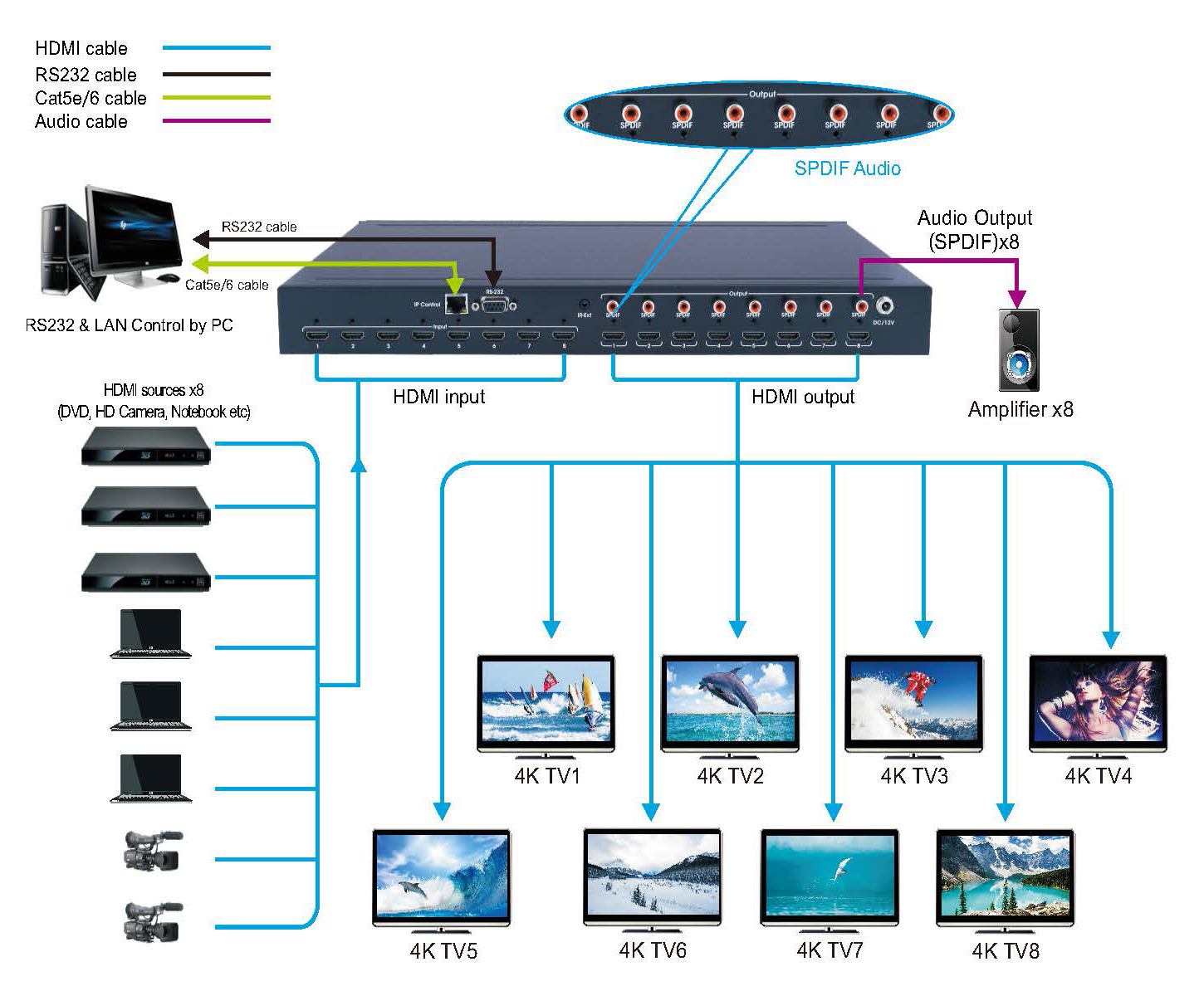
HDMIMX88V2 is a HDMI 8x8 matrix that supports HDMI2.0. Itcan take up to 8 HDMI inputs and distributes them to 8 individual HDMI outputs.
| Bandwidth | 18 Gbps |
| Resolution | 480p@60hz,576P@50hz,720P@60hz, 1080P@24hz,1080P@50hz,1080P@60hz,4K@24hz,4K@30hz, 4K@60hz YUV4:2:0, 4K@ 60hz YUV4:4:4 |
| Video Input Connectors | 8xHDMI Type A, 19-pin socket |
| Video Output Connectors | 8xHDMI Type A, 19-pin socket |
| RS-232 serial port | DB9 socket |
| Ethernet port (IP control) | RJ45 socket |
| IR Ext port | 1x3.5mm stereo jack |
| Rack-Mountable | 1U Rack ears included |
| Dimensions | 440(L) x 220(W) x 44.5(H)mm |
| Net Weight | 2.8kg |
| Operating Temperature | -4°F to 140°F (-20°C to 60°C) |
| Storage Temperature | -40°F to 158°F (-40°C to 70°C) |
| Power consumption | 19W(Max) |

 +61393218300
 info@pro2.com.au
 PRO AUDIO & PA SYSTEMS
 LEADS & CABLES
 IT NETWORK & DATA
 HIFI, TV & RADIO
 COMPONENTS
 CB RADIOS & COMMUNICATION
 AV DISTRIBUTION